What the label compares.
You have logged a set. What does the label beside it tell you? Strength Direct combines load and completed reps relative to a reference estimated one-rep max (1RM) for that exercise. The label describes that comparison, not the weight alone or how the set felt.
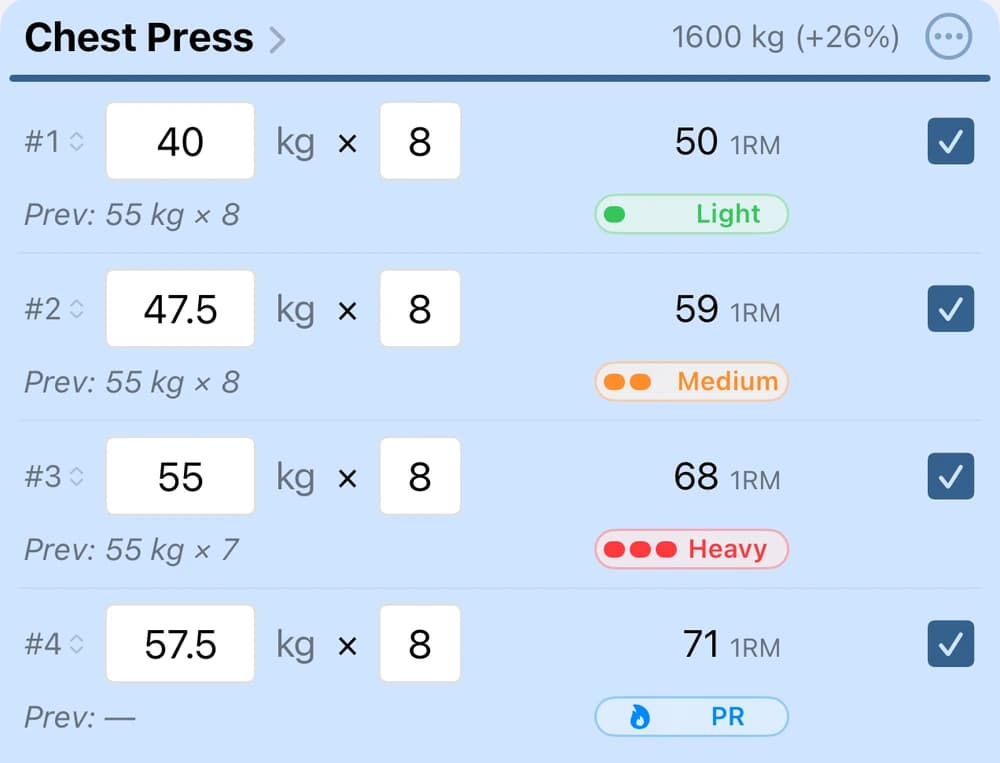
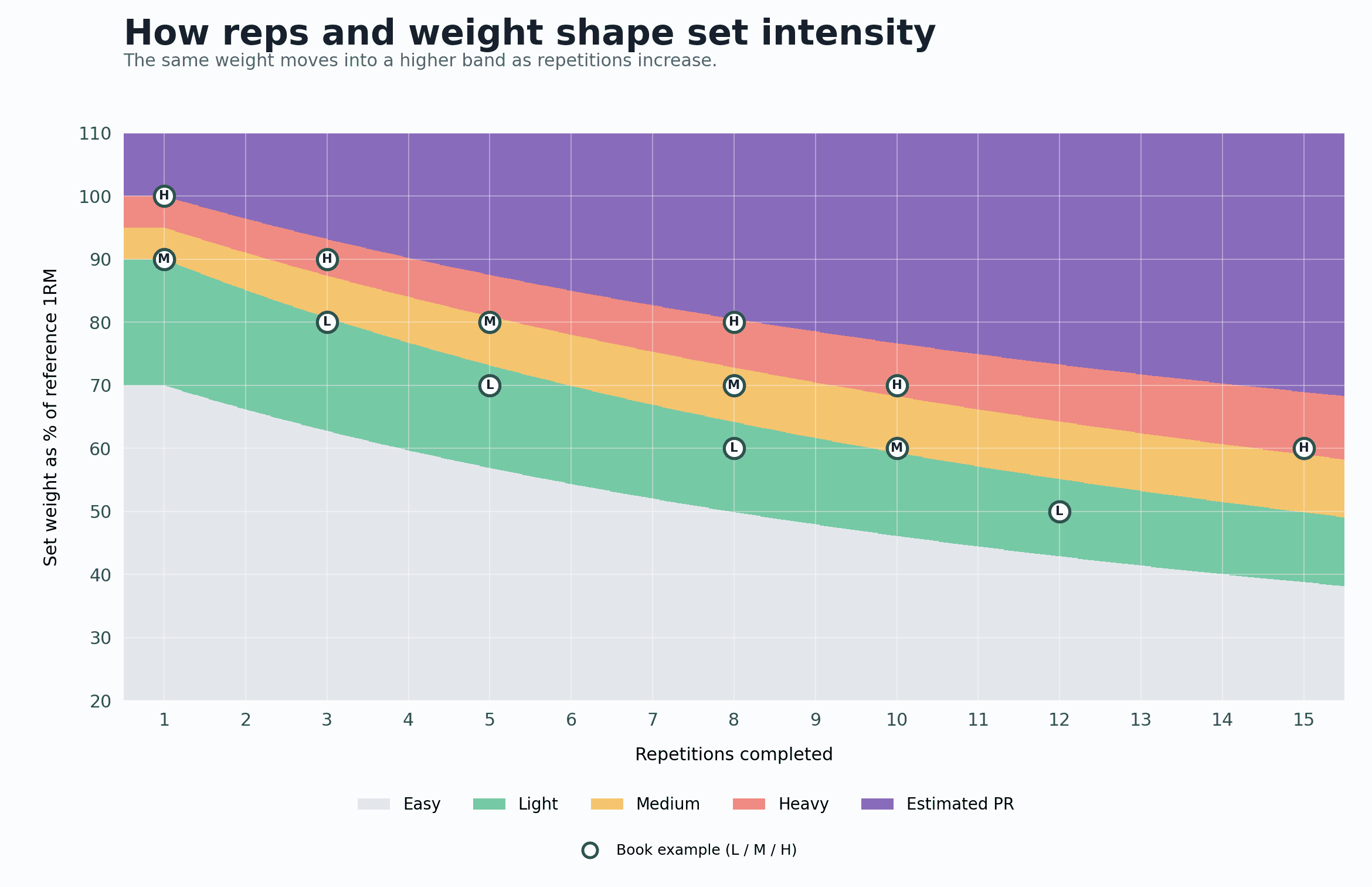
- Light, Medium, and Heavy describe bands of load-and-rep combinations relative to the reference. Easy sits below Light.
- The flame marks PR: this set’s estimated 1RM exceeds the previous reference. It does not mean you performed a maximum single.
You do not need to test a maximum single to use the indicator. It uses estimated strength from your history, and is hidden until prior data exists. Profile’s 1RM Memory setting controls how far back the app looks for intensity and PR comparisons.
The same weight can mean different things.
With a reference 1RM of 100 kg, these illustrative examples show how the label changes as completed reps at 80 kg increase. They demonstrate the concept, not a public calculator for the app’s algorithm.
Same weight, more reps. This set now falls in the Medium band.
The weight stays the same, but the completed set represents a different challenge relative to that reference. Small rep increases can stay within the same band; compare the actual numbers too.
Context, not a prescription.
The label is not a live measurement of readiness or an automatic load recommendation. It cannot tell how hard the set felt, how fatigued you were, or how many more reps you had available. If you log reps in reserve (RIR), you’re recording your subjective estimate of reps left—a separate signal.
As your estimated capacity grows, a greater load can remain in the same band. Progress does not require the label to become Heavy. If a set produces an estimated 1RM above the previous reference, the app shows PR; that is an estimated record, not a tested maximum.
Try this next workout: read the indicator alongside the completed reps and load. Keep your program, technique, and effort at the center of the next decision.
Decide when to add reps or loadTo see how exercise estimates come together across sessions, read the 1RM Index guide below.
Go deeper: the source and intensity bands
The starting point is Practical Programming for Strength Training, by Mark Rippetoe and Andy Baker. It gives examples of light, medium, and heavy work at selected combinations of reps and percentage of 1RM.
Strength Direct uses smooth boundaries between those examples so other weights and rep counts can also receive a label. The boundaries are the app’s interpretation, not dividing lines specified by the authors. PR uses the app’s estimated-1RM calculation, separate from the intensity bands.